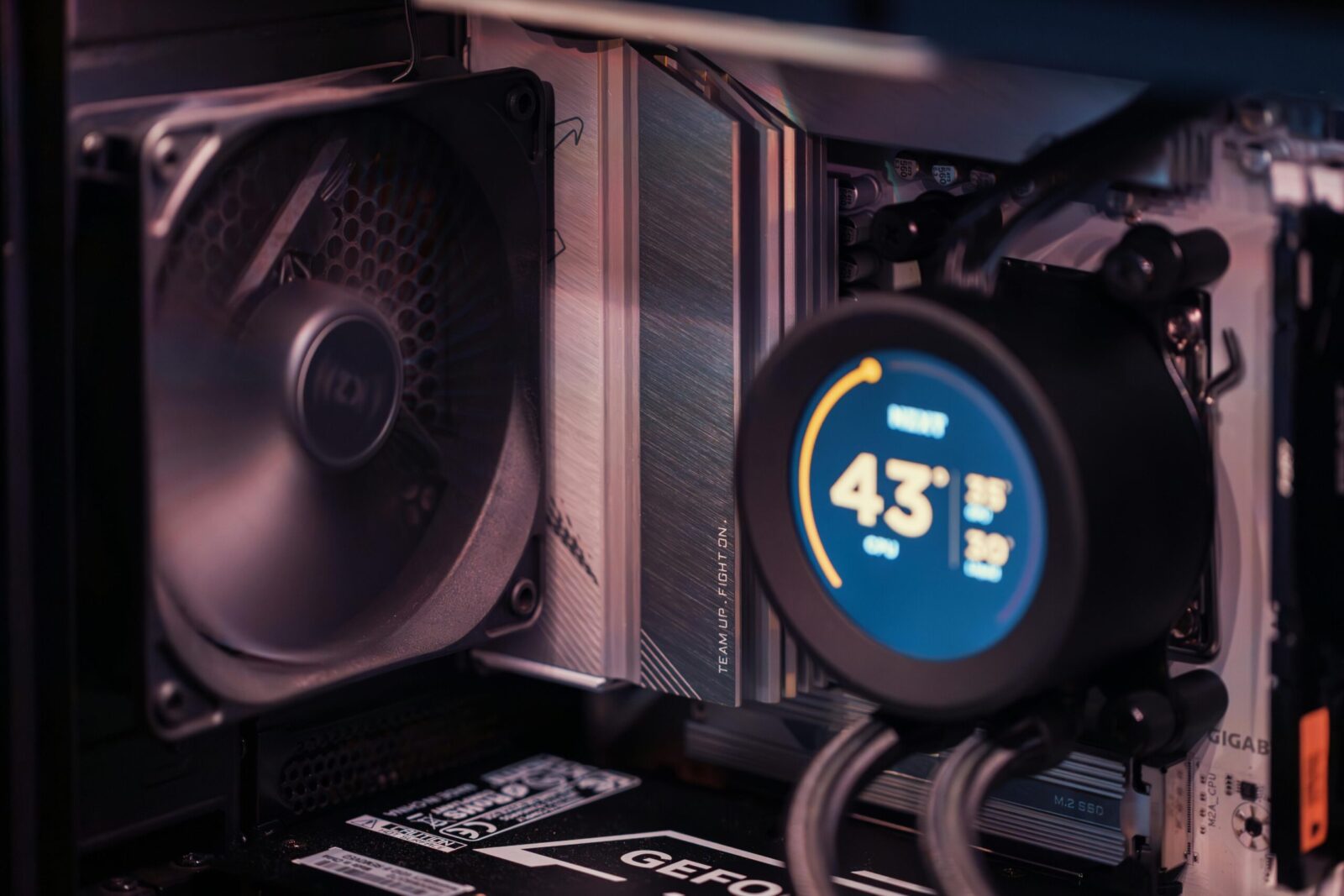
If you’ve been itching to play at 4K without torching your savings, 2026 is finally the year it clicks. GPUs that used to be “maybe-4K” are now confidently pushing high settings at 60–90 fps with smart upscaling. CPUs aren’t the choke point they once were at this resolution, and fast NVMe drives have turned load screens into a blink. The key is picking parts that punch above their price and knowing where to spend, where to save, and which settings to nudge. Here’s how you build a 4K rig that looks premium on screen, not on your credit card statement.
Defining “Budget 4K” in 2026
Realistic Framerate And Quality Targets
You’re not chasing maxed-out ray tracing at triple-digit fps on a strict budget, that’s flagship territory. A realistic 4K budget target in 2026 is 60–90 fps in modern AAA games using a mix of High/Ultra raster settings, plus sensible upscaling. Competitive titles (Apex, Valorant, Fortnite Performance RT off) will push higher. Ray tracing? Keep it to modest global illumination or reflections if performance headroom allows, but you’ll generally prioritize raster quality first.
Upscaling And Frame Generation Essentials
Upscaling is your cheat code. DLSS (NVIDIA), FSR (AMD), and XeSS (Intel) have matured to the point where Quality/Balanced modes look sharp at 4K. Frame generation adds perceived smoothness by interpolating frames, DLSS 3 FG works on RTX 40-series and later: FSR 3 FG is supported by a wide range of GPUs in many titles. Use upscaling in Quality first, only dropping to Balanced if you need a bigger bump. Combine it with a mild frame cap (e.g., 90 fps) and you’ll reduce stutter, lower input latency spikes, and keep thermals in check.
GPU First: The Best-Value 4K Graphics Options
New Vs. Used Picks And VRAM Minimums
At 4K, your GPU does the heavy lifting, so you anchor the build here. You want at least 12 GB of VRAM: 16 GB is the sweet spot for modern textures, mods, and future headroom. In 2026, best-value new options typically include AMD’s Radeon RX 7800 XT/7900 GRE (strong 4K raster, 16 GB VRAM) and NVIDIA’s RTX 4070 Super/4070 Ti Super (excellent efficiency, DLSS 3 frame generation). If you’re willing to go used, last-gen heavyweights like the RTX 3080 Ti/3090 or RX 6950 XT occasionally undercut new mid-high cards and still trade punches at 4K, just weigh warranty and power draw.
If you’re focused on the “no-drama 4K” experience with modern features, go NVIDIA for DLSS 3 FG breadth or AMD for lower cost per frame and 16 GB standardization in that tier. Your call hinges on the games you play and how much you value frame generation and RT.
Power Draw And Cooling Implications
Value cards have gotten saner about power, but there’s still a spread. Many 4K-capable options sit between 220–320 W, which affects your PSU choice and case airflow. Aim for dual- or triple-fan coolers with robust heatsinks: they’ll run quieter, boost higher, and last longer. If you buy used halo cards (think RTX 3090 or RX 6950 XT), remember they can swing to 350 W+ under load, budget accordingly with an 850 W PSU and a case that can move air without sounding like a hairdryer.
CPU And Platform That Won’t Bottleneck
Value CPUs For 4K
At 4K, you’re mostly GPU-bound, which is great for your wallet. You don’t need a flagship CPU: you need strong single-thread and enough cores to feed the GPU. AMD’s Ryzen 5 7600 or Ryzen 7 7700 offer excellent value on AM5. On Intel, Core i5-13600KF/13400F (or refreshed equivalents) are more than enough. If you’re truly pinching pennies, a Ryzen 5 5600 on AM4 still pairs well with a midrange 4K GPU, though you trade platform longevity.
The idea: pick a CPU that can push high fps in CPU-heavy titles at 1080p/1440p so it won’t get in the way at 4K. You’ll also benefit in simulation-heavy games and big open-worlds where the CPU still matters.
Motherboard, DDR5 Speed, And PCIe Lanes
For AMD, a B650/B650E board hits the sweet spot: PCIe 5 readiness for a future GPU or SSD, plenty of M.2 slots, and good memory support. For Intel, B760 gets you there without Z-series pricing. For RAM, 32 GB DDR5 is standard for 4K in 2026. On AM5, DDR5-6000 with tight timings (CL30–36) is a well-documented sweet spot. On Intel, DDR5-5600 to 6400 works nicely depending on your kit and IMC quality. PCIe 4.0 NVMe remains plenty fast for games: PCIe 5.0 SSDs are luxuries unless you do heavy creator work.
Memory, Storage, PSU, Case, And Cooling
RAM Capacity And Speed Sweet Spots
You’ll feel 32 GB at 4K, especially in newer engines and with a browser or capture software in the background. DDR5-6000 is the safe bet on AM5: on Intel, don’t overpay chasing extreme speeds, stability and timings matter more than an extra 200 MT/s on paper.
NVMe Choices And Game Load Times
Modern engines stream massive assets at 4K. A fast 1–2 TB PCIe 4.0 NVMe (e.g., rated ~7,000 MB/s reads) slashes load times and reduces traversal stutter in asset-heavy titles. Keep 20–25% free space for best performance. If your library is sprawling, add a second 2 TB Gen4 drive later rather than mixing in a slow SATA SSD.
Power Budget, Efficiency, And Thermals
Don’t cheap out on the power supply. An 80 Plus Gold 750–850 W unit with native 12VHPWR (or quality adapters) gives you headroom for transient spikes and future upgrades. For cases, choose something with an open front panel, two 140 mm intake fans, and clean cable routing: airflow is free performance. Cooling-wise, a solid 120–150 W air cooler or a 240 mm AIO keeps a 6–8 core CPU quiet while your GPU does the heavy lifting. Positive pressure and dust filters will keep temps and maintenance sane over the long haul.
Example 4K Budget Build (Balanced Parts List)
Rationale And Estimated 2026 Pricing
Below is a balanced parts list tuned for value 4K, with rough street pricing as seen in early–mid 2026 markets. Prices swing with promos and regions, so treat these as ballparks, not quotes.
- GPU: Radeon RX 7800 XT 16 GB or RX 7900 GRE 16 GB (~$450–$550 new), or RTX 4070 Super 12 GB (~$500–$580). AMD gives you more VRAM and strong raster at the price: NVIDIA brings DLSS 3 FG and generally better RT efficiency.
- CPU: Ryzen 5 7600 (~$190–$230) or Core i5-13600KF (~$240–$290). Both deliver excellent 4K gaming headroom.
- Motherboard: B650 (AM5) or B760 (LGA1700) with at least two PCIe 4.0 M.2 slots (~$130–$180).
- Memory: 32 GB (2×16) DDR5-6000 CL30–36 (~$90–$130).
- Storage: 1–2 TB PCIe 4.0 NVMe rated ~7 GB/s reads (~$70–$140 per TB depending on model).
- PSU: 750–850 W 80+ Gold, ATX 3.0/3.1 with native 12VHPWR if going NVIDIA (~$100–$150).
- Case: Airflow-focused mid-tower with two or more 140 mm fans included (~$80–$140).
- Cooler: 120–150 W tower air cooler or 240 mm AIO (~$40–$110).
This lands you in the $1,100–$1,500 range depending on GPU choice, storage capacity, and case/cooler aesthetics. You’ll get 4K High/Ultra performance with Quality upscaling in most modern titles and a quiet, efficient daily driver.
Smart Swaps To Save Or Spend
If you need to trim: drop to a Ryzen 5 5600 and a solid B550 + DDR4 kit with an RX 7800 XT, still a credible 4K combo if you aren’t targeting high-refresh esports. Opt for a 1 TB NVMe now and add a second later. Choose a no-RGB case that includes decent fans out of the box.
If you’ve got a bit more: jump to an RTX 4070 Ti Super for stronger 4K with DLSS 3 FG or an RX 7900 XT for raw raster grunt. Bump storage to 2–3 TB if you live in Game Pass. Consider a whisper-quiet 850 W PSU for maximum efficiency under light loads.
Dialing In Settings For 4K Performance
High-Impact Graphics Tweaks
Big wins come from the usual suspects without wrecking image quality. Start with upscaling on Quality: enable frame generation if the game supports it and your GPU allows. Turn down volumetric fog, screen-space reflections quality, and ambient occlusion intensity, these are heavy hitters. Shadow quality can usually drop one notch with minimal visual loss. Leave textures on High/Ultra if you’ve got 12–16 GB VRAM. Use a gentle fps cap (90 or your monitor’s max minus a smidge) with VRR to smooth frame pacing.
Ray tracing is the budget build’s wild card. Try RT reflections on “Low” or “Medium” first. If your average dips under 60, either drop RT or lean harder on Balanced upscaling.
OS, Driver, And Game Optimization
Keep GPU drivers current, but don’t blindly install day-one versions before big launches, wait a day or two for hotfixes. Use a clean install if you switch vendors. In Windows, turn on Game Mode, Hardware-Accelerated GPU Scheduling, and ensure your monitor is set to its max refresh in Display Settings. Enable Resizable BAR/Smart Access Memory in BIOS. Close heavy background apps (browsers with 40 tabs count) and set your game library SSDs as high-performance in power settings. In games with shader precompilation, let it finish before you benchmark: it’ll save you stutter later.
Frequently Asked Questions
What performance should I expect from a 4K budget build in 2026?
Aim for 60–90 fps at 4K using High/Ultra raster settings with Quality upscaling (DLSS, FSR, or XeSS). Enable frame generation where supported for extra smoothness. Keep ray tracing modest—low/medium reflections or GI—prioritizing raster quality. A light 90 fps cap with VRR helps stabilize frame pacing and thermals.
Which GPUs offer the best value for a 4K budget build, and how much VRAM do I need?
Target at least 12 GB VRAM; 16 GB is ideal for textures and future headroom. Top value picks include RX 7800 XT/7900 GRE (strong raster, 16 GB) and RTX 4070 Super/4070 Ti Super (excellent efficiency, DLSS 3 FG). Used RTX 3080 Ti/3090 or RX 6950 XT can work if you accept higher power draw.
What are the best hardware specs for gaming in 2026 to avoid CPU bottlenecks at 4K?
You’re mostly GPU-bound at 4K. Great-value CPUs include Ryzen 5 7600 or Ryzen 7 7700, and Intel Core i5-13600KF/13400F. Pair with 32 GB DDR5; on AM5, DDR5-6000 CL30–36 is a sweet spot, while Intel is comfortable around DDR5-5600–6400. B650/B650E or B760 boards offer ample lanes and M.2 slots.
How much PSU wattage and what cooling does a 4K budget build need?
Use an 80 Plus Gold 750–850 W PSU (ATX 3.0/3.1 with 12VHPWR if going NVIDIA) to handle transient spikes. Choose an airflow-focused mid-tower with two 140 mm intakes. A 120–150 W tower cooler or 240 mm AIO will keep a 6–8 core CPU quiet while the GPU does most of the work.
Can a 4K budget build run 4K at 120 Hz?
Yes in lighter or competitive titles and many older games—especially with Quality/Balanced upscaling and frame generation. Modern AAA games typically won’t sustain native 4K/120 on a budget GPU. Pair the PC with a 120–144 Hz 4K display (HDMI 2.1 or DisplayPort 2.1) and use VRR for consistency.
What 4K monitor specs pair best with a budget gaming PC in 2026?
Look for a 27–32-inch 4K panel at 120–144 Hz with VRR (FreeSync Premium/G-SYNC Compatible), HDMI 2.1 or DisplayPort 2.1, and low response times. Decent HDR (DisplayHDR 600+) is nice but not essential on a budget. Ensure the monitor supports 4:4:4 chroma for crisp desktop use.
No responses yet